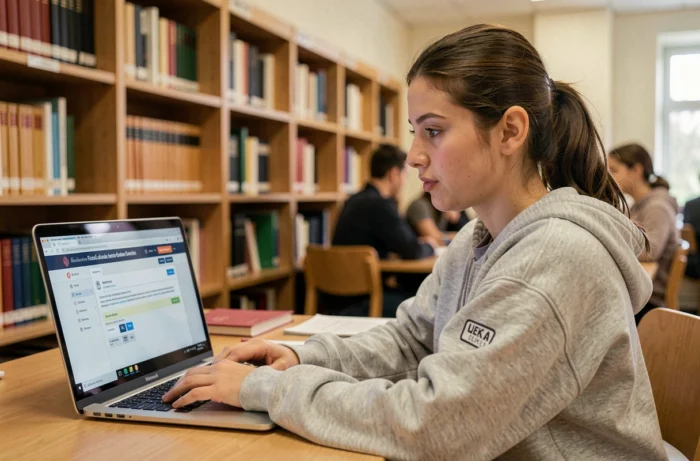
The academic messaging system of the Lyon academy operates through two distinct entry points, and this particularity regularly causes issues for staff trying to connect. The webmail is accessible via the “Intranet Idéal” section of the site ac-lyon.fr, but also through the national portal messagerie.education.gouv.fr, using the same credentials. Understanding this dual architecture prevents most of the reported blockages at the rectorate’s single point of contact.
Academic portal or national portal: two paths to the same inbox
The most frequent confusion comes from here. The Lyon academy historically hosts its messaging on its own domain (webmail.ac-lyon.fr), accessible from the homepage of the academic site. Since the generalization of national hosting, the portal messagerie.education.gouv.fr provides access to the same inbox with the same credentials.
Both addresses operate in parallel. A teacher can log in interchangeably to either without risking losing messages. Received, sent, and archived emails remain synchronized.
However, the interfaces differ slightly. The academic webmail uses a layout specific to the Lyon rectorate, while the national portal offers the standard interface of the ministry. To access the academic messaging system of the Lyon academy without hesitation between the two, the most reliable approach is to test both portals once, then bookmark the one that works best in your usual browser.

Username and NUMEN: the mechanics of first login in Lyon
The username follows a strict convention: first letter of the first name followed by the last name, in lowercase, without accents or spaces. For a person named Laura Jolie, the username will be “ljolie”. For Pierre-Henri Martin, it will be “pmartin” (the hyphen and the second name are omitted).
The initial password is the NUMEN, this unique identification number assigned to each agent of the national education system. This code appears on the administrative documents provided upon taking office. Agents who cannot find it can request it via email from the DEEP management service at [email protected].
Why change the password at the first login
The NUMEN is not a well-kept secret: it circulates on paper documents, may be visible in administrative management software, and does not meet any robustness criteria. The Lyon rectorate recommends replacing it immediately with a personal password that adheres to the usual rules (length, special characters, absence of personal data).
Once the password is changed, the next login will exclusively use the new code. The NUMEN will only be used in case of a complete account reset by technical support.
Account blocking and the single point of contact at the Lyon rectorate
Blocking situations are common: forgotten password after the summer holidays, incorrectly formatted username after a name change, or account locked after several failed attempts. The Lyon rectorate centralizes these requests through a dedicated single point of contact.
The two contact channels to unblock access:
- By phone at 04.72.80.64.88, the single point of contact for the rectorate, which handles password resets and username anomalies
- By email at [email protected], for less urgent requests or cases requiring the submission of supporting documents
- By email at [email protected], specifically to recover a lost NUMEN (service reserved for teachers in private institutions under contract)
Feedback on response times varies. During the back-to-school period, the single point of contact handles a significantly higher volume of requests than the rest of the year. Anticipating access verification a few days before the start remains the most effective precaution.
Configuring Lyon academic messaging on smartphone or tablet
Accessing professional emails from a mobile device requires configuring an email client (Mail on iOS, Gmail or Outlook on Android) with the correct server settings. The Lyon academy’s messaging uses IMAP for receiving and SMTP for sending.
The settings to enter in the email application:
- Incoming IMAP server: specific details for the Lyon academy, available on the DRANE page or on Julien Delmas’s blog, which documents the procedure for each academy
- Outgoing SMTP server: to be configured with authentication enabled, otherwise the sends may be blocked
- Port and encryption: SSL/TLS to be activated to secure exchanges, with standard ports being 993 for IMAP and 465 or 587 for SMTP
- Username: the same as for webmail (format first.last or initial+last depending on the account configuration)

Automatic forwarding to a personal address: a false good idea
Redirecting academic messages to a personal Gmail or Outlook inbox seems convenient. The DRANE of Lyon advises against this practice for a specific reason: professional data then transits through servers not controlled by the institution. Exchanges containing information about students, administrative documents, or sensitive data fall outside the ministry’s security perimeter.
Configuring IMAP on the phone is the recommended alternative. Messages remain on the academic servers, accessible from any device, without copies on third-party infrastructures.
Accessing Lyon academic messaging via a web browser: friction points
On a computer, access via a browser remains the most direct method. After authenticating on the site ac-lyon.fr, you need to click on “services” at the top right, then select “@mél ouvert” to reach the inbox.
Some browsers block the display of webmail due to overly restrictive cookie or pop-up settings. If the authentication page loops or displays an error after entering credentials, clearing the browser cache and allowing third-party cookies for the domain ac-lyon.fr resolves most cases.
The national portal messagerie.education.gouv.fr sometimes offers better compatibility with recent browsers, particularly on Chromebooks where the historical academic webmail may exhibit slow display. Testing both accesses allows you to choose the most stable one based on your equipment.
The academic messaging system of the Lyon academy does not present any major technical difficulties once the logic of the username is understood and the initial password is replaced. The weak point remains the communication of this information to new staff, who sometimes discover the existence of their professional inbox several weeks after starting their position.