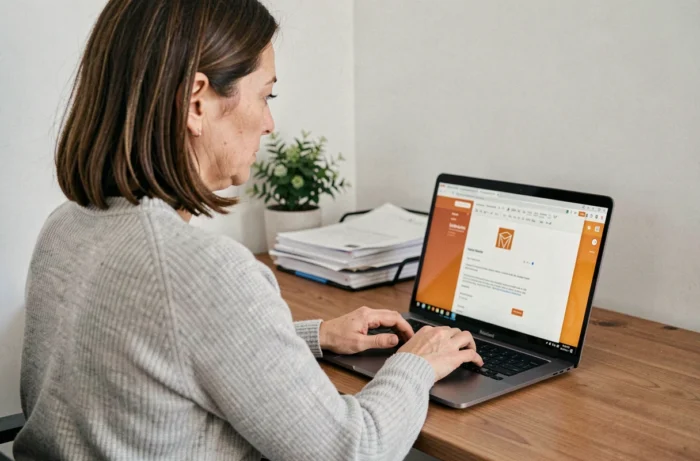
The Orange Mail portal is based on a webmail architecture accessible via the secure URL https://www.orange.fr/portail, without the need for a heavy client or any extensions to install. An up-to-date browser is sufficient to access the messaging service, address book, and integrated calendar. Confusion between this web portal and the Mail Orange mobile application is common, even though the two entry points serve distinct purposes.
Enhanced authentication on the Orange Mail portal
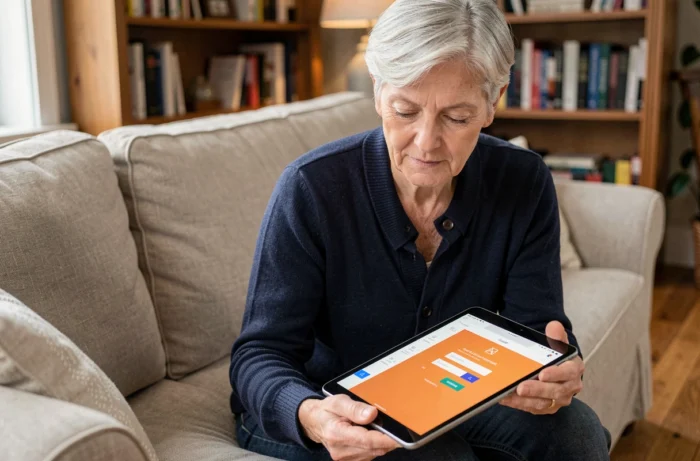
Access to Orange accounts follows a logic of enhanced authentication. Validation can be done through the Orange and me app, using the phone’s biometric unlocking. This mechanism is gradually replacing the simple username/password combination, which remains vulnerable to phishing and data leaks.
We recommend activating this two-factor authentication upon first login. A push notification is sent to the associated mobile device, and validation is performed via fingerprint or facial recognition.
For those who wish to use the Orange Mail portal on a daily basis, this step is crucial for the reliability of the entire access chain. Without it, a third party who obtains the password can access the mailbox, contacts, and archived attachments.
Two-factor authentication also protects secondary accounts linked to the same holder. A main Orange account can host multiple mailboxes, each with its own dedicated storage capacity.

Multi-mailbox management from the Mail Orange app
The Mail Orange mobile app allows users to manage multiple mailboxes from a single interface. Adding and disconnecting Orange accounts can be done without reinstallation, directly in the app’s settings.
This feature is documented in the Orange support sheet updated on September 24, 2026. It applies to both family accounts and addresses created for specific uses (associations, one-time projects).
Compatibility and minimum versions
The app requires Android 7.0 or higher. This compatibility point regularly generates reports on Orange community forums.
- On Android, the download is done via the Play Store by searching for “Mail Orange – Email messaging”. Ensure that the developer displayed is Orange SA before installing.
- On iOS, the app is available on the App Store. Synchronization of push notifications requires enabling alerts in the phone’s system settings.
- Downloading works over Wi-Fi or 4G/5G, but connection costs depend on your mobile plan. Orange recommends having a plan that includes mobile internet to avoid extra charges.
A technical point often overlooked: disconnecting an account in the app does not delete the emails stored on the server. It only removes local access. Messages remain accessible via the web portal or from another device.
Automatic sorting and organization of emails on Orange Mail
Orange Mail is evolving towards more automatic sorting and organization. Incoming emails are categorized (promotions, notifications, personal messages) according to rules applied on the server side.
Orange’s anti-spam filtering acts before the message arrives in the inbox. Emails identified as unwanted are redirected to a dedicated folder, which is accessible but separate from the main flow. This sorting does not replace manual vigilance on unknown senders, especially for messages containing links or attachments.
Custom sorting rules
From the web interface of the portal, you can create sorting rules based on the sender, subject, or presence of keywords. These rules are executed automatically upon receipt.
Differences between the Orange web portal and external IMAP clients
Configuring a third-party IMAP client (Thunderbird, Outlook, Apple Mail) on an Orange address is still possible, but the web portal offers functions that are absent from external clients. The integrated calendar and Orange address book do not sync natively via IMAP. Only emails are transmitted.
The IMAP protocol maintains a synchronized copy of messages between the server and the local client. Folders created in a third-party client appear on the web portal, and vice versa. However, anti-spam filters configured on the portal do not apply to messages already downloaded locally by the IMAP client.
- The web portal provides access to the address book, calendar, and account security settings, which an IMAP client does not offer.
- An IMAP client allows offline access, useful when traveling or in areas with limited coverage.
- Large attachments are better handled via the web portal, which natively manages the Gigamail service for sending files that exceed the standard limit.
The choice between the two depends on usage. For quick and secure access, the web portal remains the most comprehensive channel. For structured local archiving or multi-account usage across different messaging services, an IMAP client retains its relevance.
The Orange Mail portal covers most common needs without advanced configuration. Activating two-factor authentication and mastering automatic sorting are the two settings to prioritize for smooth and secure daily use.